

Download Video Converter Aimersoft – Free, Secure Video Converter for Windows & Mac
Overview
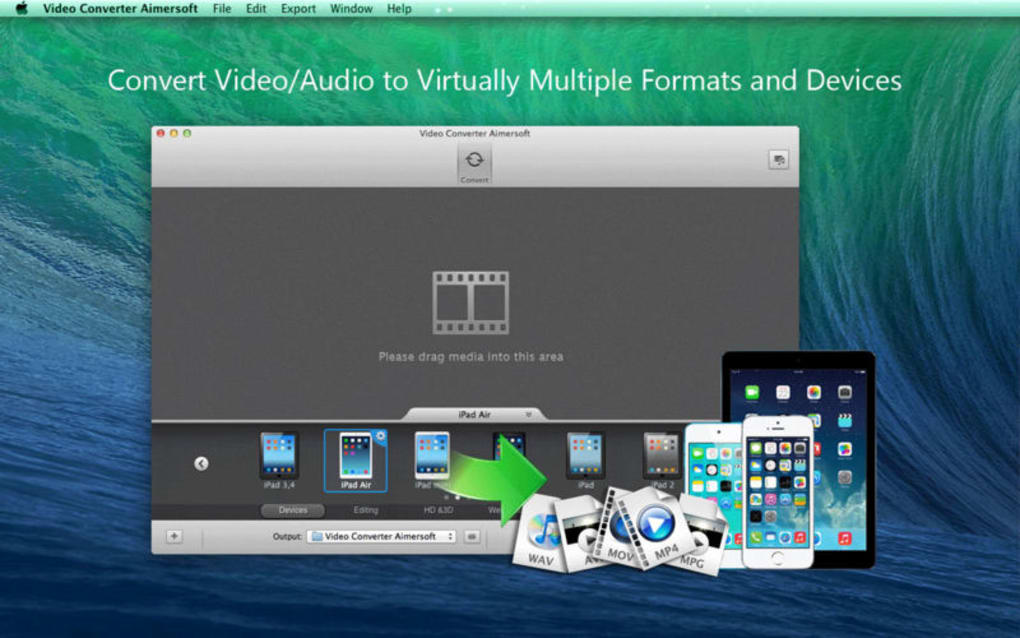
Video Converter Aimersoft is a versatile media conversion tool designed to simplify the process of turning any video or audio file into a format that works flawlessly on your favorite devices. Whether you own an iPhone, iPad, Android phone, Windows PC, or Mac, this software promises a smooth, one‑click conversion experience without sacrificing quality. The program supports both SD and HD video files, from homemade home movies to professionally downloaded content, and can output to every major audio and video format on the market today.
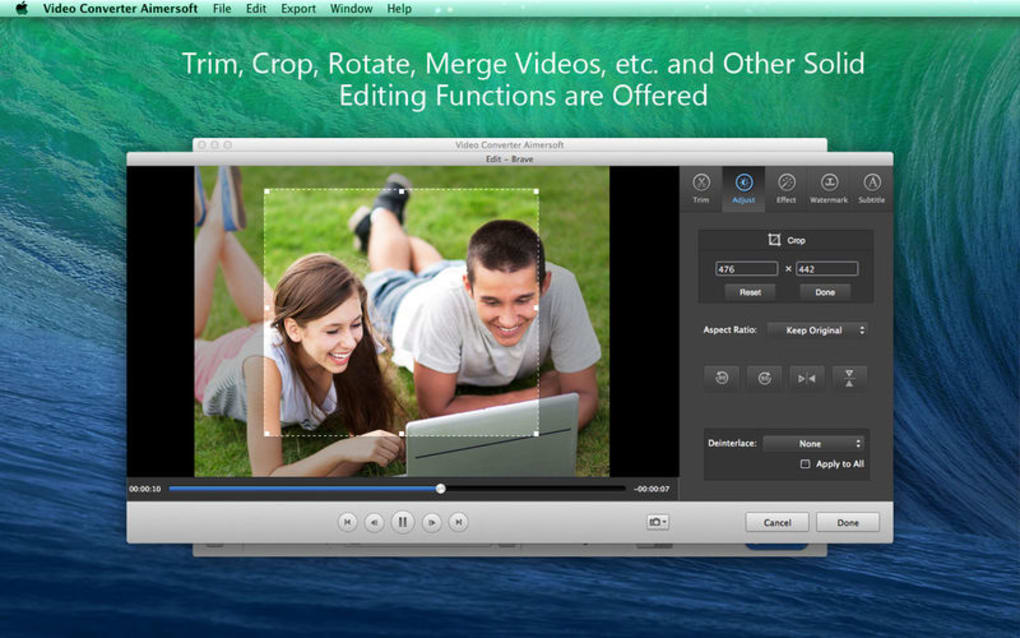
In addition to basic conversion, Aimersoft lets you extract audio tracks, merge multiple clips, trim unwanted sections, rotate footage, and even apply custom watermarks for copyright protection. Subtitles and alternate audio tracks can be added or removed to improve accessibility and viewing experience. The intuitive interface, combined with powerful batch processing, makes it a go‑to solution for both casual users and video‑editing enthusiasts who need reliable, fast, and secure conversion capabilities.
Features, Installation & Compatibility
Key Features
- Supports over 200 video & audio formats including MP4, MOV, AVI, MKV, WMV, MP3, AAC, FLAC, and more.
- Batch conversion lets you process dozens of files simultaneously, saving time on large projects.
- HD & 4K video conversion maintains original resolution and bitrate for premium quality.
- Audio extraction extracts high‑fidelity sound tracks from any video source.
- Video editing tools – trim, cut, merge, crop, rotate, and add watermarks directly within the app.
- Subtitle handling – import, edit, or burn subtitles into the final video file.
- Device‑optimized profiles for Apple (iPhone, iPad, Apple TV), Android, Windows, and gaming consoles.
- Fast GPU acceleration (NVIDIA/AMD) speeds up conversion by up to 5× compared with CPU‑only processing.
- Secure processing – all files stay on your local machine, no cloud upload required.
- Regular free updates keep the codec library current with the latest format releases.
Installation Guide
Getting started with Video Converter Aimersoft is straightforward:
- Visit the official Aimersoft website and click the Download button for your operating system (Windows or macOS).
- Once the installer (
.exefor Windows or.dmgfor macOS) finishes downloading, double‑click to launch it. - Follow the on‑screen prompts: accept the End‑User License Agreement, choose the installation folder, and select whether to create a desktop shortcut.
- Click Install. The process typically takes under two minutes on a modern PC.
- When installation completes, launch the program. The first run may prompt you to download optional codec packs; accepting these ensures the broadest format support.
Operating System Compatibility
Video Converter Aimersoft runs on:
- Windows 10, Windows 11 (64‑bit)
- macOS 10.15 Catalina and later (including macOS 13 Ventura)
System requirements are modest: a dual‑core processor, 4 GB RAM (8 GB recommended for 4K conversion), and at least 200 MB of free disk space for the application itself. For GPU‑accelerated conversions, a compatible NVIDIA GeForce GTX 600 series or AMD Radeon HD 7000 series or newer is recommended.
Pros and Cons
Pros
- All‑in‑one solution: Combines conversion, editing, and watermarking in a single interface.
- Extensive format support: Handles virtually any media file you encounter.
- High‑speed processing: GPU acceleration dramatically reduces conversion time.
- User‑friendly UI: Drag‑and‑drop workflow makes it easy for beginners.
- Regular free updates: Keeps codecs current without extra cost.
- Secure local conversion: No internet upload, preserving privacy.
Cons
- The free trial adds a watermark to output files; full version required for watermark‑free results.
- Batch processing UI can become cluttered with very large file lists.
- Advanced video effects (e.g., transitions, filters) are limited compared to dedicated editors.
- License is a one‑time purchase; no subscription model for continuous support.
- macOS version occasionally lags behind Windows in receiving the latest GPU patches.
Overall Rating: 4 out of 5 stars – a solid, reliable video converter with a few minor UI quirks.
Frequently Asked Questions
Can Video Converter Aimersoft convert 4K videos without losing quality?
Yes. The software supports native 4K conversion and retains the original bitrate and resolution when you choose the “Keep Original Quality” preset. GPU acceleration further ensures fast processing while preserving detail.
Is there a free version, and what limitations does it have?
Aimersoft offers a 14‑day free trial that allows full access to all features. The only restriction is a small watermark placed on output videos. To remove the watermark and unlock unlimited conversions, you need to purchase the full license.
Can I extract only the audio from a video file?
Absolutely. The “Extract Audio” tool lets you pull high‑quality sound tracks from any video and save them as MP3, AAC, FLAC, or WAV files. You can also adjust bitrate and channel settings during extraction.
Does the program support subtitle embedding?
Yes. You can import external SRT or ASS subtitle files, edit timing, and either embed them permanently (burn‑in) or keep them as selectable tracks in the final video.
Is the software safe from malware and does it respect my privacy?
Video Converter Aimersoft is a reputable commercial product with no bundled adware. All conversions happen locally on your computer, so no files are uploaded to the cloud, ensuring full privacy and security.
Conclusion & Call to Action
If you’re searching for a reliable, all‑in‑one video conversion tool that balances power and simplicity, Video Converter Aimersoft stands out as a top choice. Its broad format support, integrated editing features, and GPU‑accelerated speed make it suitable for everything from quick smartphone video trims to professional‑grade 4K batch conversions. While the free trial adds a watermark, the one‑time purchase unlocks a fully featured, watermark‑free experience that will serve both casual users and power users alike.
Ready to transform your media library without compromising quality? Download Video Converter Aimersoft now and enjoy a fast, secure, and hassle‑free conversion workflow. Take advantage of the 14‑day trial to test every feature—once you experience the speed and flexibility, you’ll understand why it’s trusted by millions worldwide.







